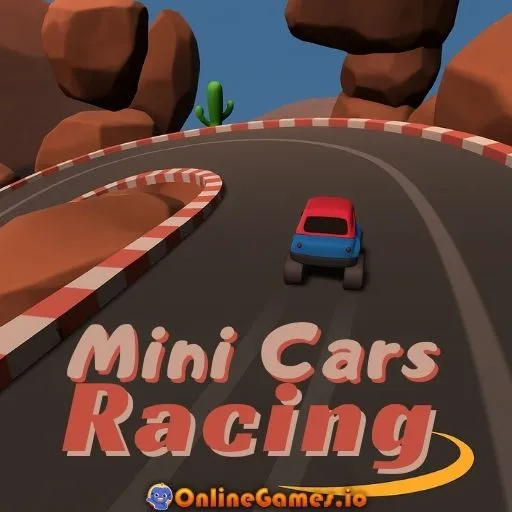
Mini Cars Racing
by Community
Pizza Tower
Tanuki Sunset
Just One Boss

Football Legends
Geometry Dash
Pac Man
Cluster Rush
Kirby's Adventure
The Binding Of Isaac
Stickman Gta City
Burrito Bison
Ragdoll Hit
Fancy Pants Adventures World 1
Red Ball 4
Drive Mad
Bit Planes
Escape Road City 2
Celeste Classic
Jetpack Joyride
Hollow Knight
Portal
Flappy Bird
Drift Boss
Elastic Man

10 Minutes Till Dawn
Blumgi Ball
Moto X3M 3
Moto X3M Spooky Land
Time Shooter 3
Dad 'n Me
Ovo
COD Zombies Portable
Browse by Category
You Might Also Like

About Mini Cars Racing
Multiple cars, unique handlingChampionship & time trial modesLoops, jumps & obstaclesHead-to-head race competitions
How to Play Mini Cars Racing
Controls
Frequently Asked Questions
How many racing modes are available in Mini Cars Racing?
Mini Cars Racing features three racing modes: time trials, championship races, and head-to-head competitions. Each mode offers a different challenge, whether you're chasing personal best lap times, competing through a series of races, or going directly against opponents.
How do you use nitro boost in Mini Cars Racing?
Press the Shift key to activate nitro boost when it's available. Use it strategically on straightaways for maximum speed gain, and save it for moments when you need to overtake opponents or make up lost time.
What is the handbrake used for in Mini Cars Racing?
The spacebar activates the handbrake, which is essential for executing sharp turns without losing control. Mastering the handbrake is especially important on tighter circuits and expert-level tracks where standard steering alone won't get you around corners fast enough.
How can I play Mini Cars Racing for free?
You can play Mini Cars Racing for free right here on GlorpMath. No downloads, sign-ups, or payments required. Just click play and start having fun instantly!
Does Mini Cars Racing work on school Chromebooks?
Yes! Mini Cars Racing runs directly in your browser and works great on Chromebooks, laptops, tablets, and phones. No installation needed.
Is Mini Cars Racing unblocked?
GlorpMath hosts Mini Cars Racing directly on our servers, making it accessible from most school and work networks. Just visit GlorpMath and start playing!