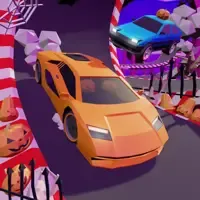
Crazy Cars
by Community
Scooby-Doo! Creepy Run

Gun Spin
ULTRAKILL
PolyTrack Unblocked
Bit Planes

Temple Run 2
Moto X3M Pool Party
Time Shooter 3
Drift Boss
Highway Traffic
Awesome Tanks 2
Moto X3M Spooky Land

Eggy Car
Super Liquid Soccer
Super Mario Bros
Blumgi Slime
Cluster Rush

Fruit Ninja

Fancy Pants Adventures World 3
Escape Car
Funny Shooter 2
Bacon May Die

Hollow Knight
Drift Hunters Pro
Tomb of the Mask
Moto X3M 3
Cubefield
Slope Plus
Deadly Descent
Ragdoll Hit

Cactus Mccoy 2
Snowball.io
Browse by Category
You Might Also Like



About Crazy Cars
Real-time multiplayer racingCustomizable wild vehiclesPower-ups and obstaclesGlobal leaderboard competition
How to Play Crazy Cars
Controls
Frequently Asked Questions
How do you use power-ups in Crazy Cars?
During a race, press Shift to activate any power-up you've collected. Power-ups can boost your own speed, slow down opponents, or help you find shortcuts through dangerous terrain.
Can you play Crazy Cars against other players online?
Yes! Crazy Cars features real-time multiplayer racing where you compete against players from around the world. You can challenge friends or race strangers as you climb the global leaderboards.
How do you drift in Crazy Cars?
Use the Space bar as a handbrake to initiate drifts around tight corners. Combining the handbrake with your steering controls (WASD or arrow keys) lets you slide through turns and maintain speed on tricky parts of the track.
How can I play Crazy Cars for free?
You can play Crazy Cars for free right here on GlorpMath. No downloads, sign-ups, or payments required. Just click play and start having fun instantly!
Does Crazy Cars work on school Chromebooks?
Yes! Crazy Cars runs directly in your browser and works great on Chromebooks, laptops, tablets, and phones. No installation needed.
Is Crazy Cars unblocked?
GlorpMath hosts Crazy Cars directly on our servers, making it accessible from most school and work networks. Just visit GlorpMath and start playing!